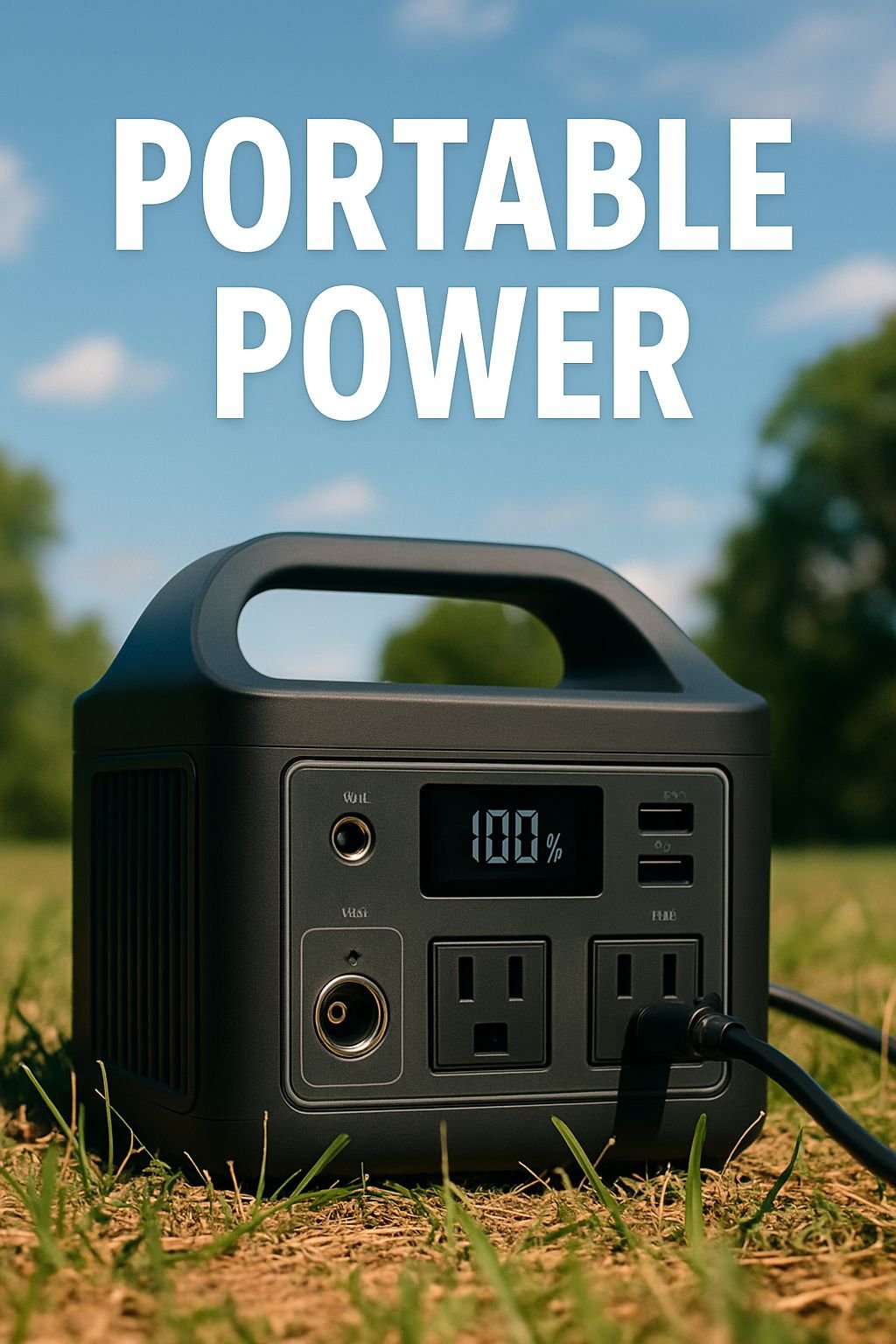
Quick Look at the Jackery Explorer 300
- Despite being one of the most portable power stations in its class, the Jackery Explorer 300 manages to pack a 293Wh battery into a 7.1 lb unit.
- It delivered 247Wh of usable power in real-world testing, which is enough to charge a laptop several times or run small devices through a camping trip.
- It won a Best Buy Award for its performance with phones and laptops, but it is not built for high-wattage appliances or home backup scenarios.
- It is a strong off-grid companion due to its solar panel compatibility — but it is worth understanding charge times and input limits before you buy.
- There is a key reason experienced campers and van-lifers keep coming back to this unit, and it has nothing to do with raw power — keep reading to find out why.
The Jackery Explorer 300 is not trying to power your whole house — and that is exactly why it is so good at what it does.
The portable power space is filled to the brim, and a lot of consumers fall into the trap of seeking watt-hours that they won’t ever use. Whether you’re going camping for the weekend, working out of a van, or just need a reliable power source during a blackout for your necessities, the Jackery Explorer 300 offers a unique value proposition that larger, bulkier units just can’t match. Jackery has earned a name for itself by making reliable, user-friendly portable power stations, and the Explorer 300 is one of their top-selling models for a reason.
This review will explain precisely what the Explorer 300 can do, what it can’t, and who it’s really designed for — no fluff, just actual numbers and sincere conclusions.
Jackery Explorer 300: A Compact Powerhouse for Light-Duty Use
The Explorer 300 is a compact power station that is perfect for certain applications. It is powered by a lithium-ion battery with a 293Wh capacity and a 300W AC output, which makes it ideal for light-duty but highly portable use. It is not designed to run a microwave or power an entire home during a power outage, but it is perfect for recharging devices, running a CPAP machine overnight, or powering a small fan at a campsite. It performs these tasks flawlessly.
The reason this model is a cut above less expensive competitors is due to its superior build quality and dependability. The shell is robust, the handle is firm, and the interface is neat and straightforward to use. There’s no difficult learning curve here – you just plug it in, turn it on, and you’re good to go. This simplicity is an advantage, not a drawback.
293Wh Battery: The Pros and Cons
With a 293Wh capacity, this battery is perfect for your everyday outdoor and emergency needs. Here’s what you can expect:
Here’s what you can expect from the Jackery Explorer 300:
- Smartphone (10Wh battery): Can charge up to 25+ times
- Laptop (45–65Wh battery): Can charge up to 3 to 5 times
- Mini CPAP machine (~30W): Can run for about 7 to 8 hours
- LED camping lantern (~5W): Can run for about 40 hours
- Mini fridge (typical 45–60W draw): Can run for about 4 to 5 hours — not the best
- Standard microwave (1000W+): Will not run — it’s more than the 300W output limit
The Jackery Explorer 300 has a hard limit of 300W AC inverter. This means that any appliance that needs more than 300W will not start. This includes most kitchen appliances, power tools, and larger electronics. However, for what it’s designed for, it works well within these limits.
Top Choice for Powering Phones and Laptops
OutdoorGearLab gave the Jackery Explorer 300 a Best Buy award, specifically for its ability to power phones and laptops. It’s a combination of affordable price, real portability, and reliable power that sets it apart from others in its price range for those with light power needs. When you consider what you’re getting for your money – solar compatibility, multiple ports, and a trusted name – it’s hard to argue against its value.
Who is the Jackery Explorer 300 for?
The Jackery Explorer 300 is made specifically for those who enjoy camping, hiking, and living in vans, or anyone else who needs a reliable way to charge their devices without having to carry around a heavy power station. If you mostly need to power phones, laptops, small fans, and LED lights, the Explorer 300 is one of the best options currently available in its size and weight class.
Power Output: The Real Deal
Specs on a box are one thing. Real-world testing is another. The Jackery Explorer 300 is rated at 293Wh, but in controlled discharge testing, it delivered approximately 247Wh of usable power to connected devices. That roughly 15% gap between rated and delivered capacity is completely normal for lithium-ion systems — energy is lost as heat during the AC inverter conversion process.
What’s important is the consistency. The Explorer 300 performed consistently and maintained its output without any significant voltage drops until the battery was almost completely drained, across several test cycles. The battery management system (BMS) managed the discharge effectively, shutting off power before the battery hit a low-voltage threshold that could cause damage.
What 247Wh Delivered in Testing Means for You
What this means is that you are dealing with a practical buffer that is a little tighter than the spec sheet would suggest. You should plan your power needs around 240–250Wh to avoid any unexpected surprises. If you are going on a weekend camping trip where you will be charging a phone and a laptop, this should be more than enough. If you are going to be using anything that requires a high wattage for a sustained period of time, you will go through it faster than you would think.
The AC inverter efficiency is the main factor. USB-C and USB-A charging are more efficient because they avoid the inverter altogether, drawing directly from the DC system. If you want to maximize battery life, charge your devices through USB instead of AC whenever you can.
Charging Laptops, Phones, and Starlink Runtime
If you’re using a laptop with a 60Wh battery, you can expect to get about 3 to 4 full charges from the Explorer 300 using AC power, or slightly more if you’re using the USB-C port, depending on how much power your laptop draws. A typical smartphone with a 10Wh battery can be charged more than 20 times. If you’re using the Starlink Mini, which draws between 20 and 40W depending on what it’s doing, you can expect to get about 6 to 10 hours of satellite internet. That’s enough to get you through a full day of remote work from a campsite.
Where It Lacks for Home Backup and Large Appliances
The 300W output limit is a hard stop. Fridges, window AC units, electric kettles, and most countertop appliances draw well above 300W at startup — often 2 to 3 times their rated wattage during the initial surge. The Explorer 300 will simply turn off instead of trying to power devices beyond its rated capacity. For home backup beyond basic device charging, you should consider units in the 1000W+ range like the Jackery Explorer 2000 V2.
Portability: Size and Weight for Outdoor Use
With a weight of 7.1 lbs and about the size of a small lunchbox, the Jackery Explorer 300 is truly portable in a way that most power stations are not. You can carry it in one hand, slide it under an airplane seat, or toss it in the back of a backpack with room to spare. The integrated carry handle is well-positioned and comfortable for short carries. For comparison, the Jackery Explorer 1000 Pro weighs over 25 lbs — more than three times as much — which makes the 300 a fundamentally different class of product when portability is the priority.
How Quickly Can the Jackery Explorer 300 Recharge?
Many people don’t consider how quickly a portable power station can recharge until they’re stuck at a campsite with a dead device and a long day ahead.
It only takes about 2 hours to fully charge the Jackery Explorer 300 from a wall outlet, with a maximum input of 150W. This is a fast charge time for a battery of this size, and it outperforms older portable power stations of the same capacity, which often took 5 to 6 hours to fully charge.
You can also charge the unit while powering your devices, which is a handy feature when you’re working from a coffee shop or vehicle before heading back out.
Charging Times from a Wall Outlet
When you plug the Explorer 300 into a standard 120V wall outlet using the included AC adapter, it charges from 0% to 100% in about 2 hours at the full 150W input rate. In real-life situations, taking into account minor inefficiencies and thermal management, you should expect it to take closer to 2 to 2.5 hours for a full charge. This is quick enough to fully charge it overnight or during a lunch break without any hassle.
You can also charge it using a 12V car outlet with the DC car charger cable. However, the input through this method is limited to around 12V/10A (around 120W), which will add some additional time to the charging process. It is best to treat car charging as a way to top up the power station rather than the main way to charge it.
Input Speeds and Solar Panel Compatibility
The Explorer 300 is compatible with Jackery’s SolarSaga solar panel lineup and accepts solar input via its DC input port. The unit supports up to 100W of solar input, which means pairing it with a single Jackery SolarSaga 100W panel can theoretically recharge it in around 3 to 4 hours under direct, unobstructed sunlight. Real-world solar charging typically runs longer — expect 4 to 7 hours depending on panel angle, cloud cover, and ambient temperature.
If you’re an avid off-grid user, you can effectively speed up solar top-ups by linking two SolarSaga 80W panels to approach the 100W input ceiling. The Explorer 300 has a built-in MPPT (Maximum Power Point Tracking) charge controller that optimizes solar input in real time, ensuring maximum efficiency in any light condition.
Main Characteristics of the Jackery Explorer 300
The Explorer 300 has a very straightforward and user-friendly design. There are no superfluous features or add-ons — only the essential ports, safeguards, and interface that you really require when you’re out and about.
Output Ports: AC, USB-A, USB-C, and DC
The Jackery Explorer 300 has a versatile selection of ports for its size:
Here are the outputs on the Explorer 300:
- AC outlets: 2 x pure sine wave AC outlets (110V, 300W total, 500W peak surge)
- USB-A ports: 2 x Quick Charge 3.0 ports (18W each) and 2 x standard USB-A ports (5V/2.4A each)
- USB-C port: 1 x USB-C port (24W output)
- DC output: 1 x DC car port (12V/10A) and 2 x DC5521 barrel ports (12V/3A each)
One thing to note is that the AC outlets use a pure sine wave inverter. Cheaper power stations often use modified sine wave inverters, which can harm sensitive electronics like laptops, medical equipment, and DSLR cameras over time. Pure sine wave output is better and safer for almost every device you would plug into it, and it is the standard Jackery uses across their Explorer lineup.
Screen and Controls
On the Explorer 300, the LCD screen displays the battery percentage, input wattage, and output wattage at the same time — giving you a clear real-time image of what’s coming in and going out. The interface is simple: one button to turn on the AC outlets, one for DC outputs, and a main power button. This model does not have app connectivity or Bluetooth, which makes operation very simple. In a world of over-designed gadgets, the simple control panel is genuinely refreshing for outdoor use where simplicity is most important.
Automated Safety Features of the Battery Management System (BMS)
The BMS is in charge of crucial safety operations, providing protection for both the battery and the devices you’ve connected. It keeps an eye on and defends against:
Here are the safety features of the Jackery Explorer 300:
- Overcharge protection: The unit stops charging when the battery is full.
- Over-discharge protection: The unit cuts output before the battery drops to a damaging voltage level.
- Overcurrent protection: The unit shuts down if the current draw exceeds safe operating limits.
- Short circuit protection: The unit immediately cuts power if a short is detected.
- Temperature management: The internal fan activates when the unit heats up during heavy load or charging.
The internal fan does make some noise when it kicks in, so it’s not silent. However, during light loads or standby, the unit is quiet. Under heavier AC use or while charging at full input, the fan noise is noticeable but not disruptive. This is typical for all power stations in this class that use active thermal management.
How Does the Jackery Explorer 300 Stack Up Against Other Portable Power Stations?
With so many portable power stations now available, it can be difficult to know which one is the best fit for you. Understanding the Explorer 300’s position in the market can help you determine if it’s the right choice for your needs, or if you should be considering a larger or more advanced model.
Jackery Explorer 300 and Anker Solix C1000
Although they aren’t really in the same category, these two units are often compared because buyers sometimes think about upsizing. The Anker Solix C1000 has a 1056Wh battery and a 1800W AC output, which is more than three times the capacity and six times the power output of the Explorer 300. The Solix C1000 also supports LFP (lithium iron phosphate) chemistry, which provides a much longer cycle life of around 3,000 charge cycles compared to the Explorer 300’s lithium-ion chemistry, which is rated at 500 cycles. The tradeoff is in size and weight: the Solix C1000 weighs about 27.6 lbs and is more suited for basecamp or vehicle use rather than true portability. If you’re powering a campsite full of gear, the Solix is the clear winner. However, if you’re hiking in and need something you can carry in one hand, the Explorer 300 is far more portable.
Comparing the Jackery Explorer 300 and the Jackery Explorer 2000 V2
The Jackery Explorer 2000 V2 is the top-of-the-line model in Jackery’s range. It has a 2042Wh LFP battery, a 2200W AC output, and weighs around 43 lbs. It’s essentially a different product that’s meant for long-term off-grid living, RV setups, and serious basecamp power. The Explorer 300 just can’t compete in terms of raw capacity — and it doesn’t need to. What the Explorer 2000 V2 can’t do is fit into a backpack, sit under a desk without taking up too much space, or be carried one-handed across a trailhead parking lot. The Explorer 300 wins in every aspect of portability, and for those who only camp on weekends or don’t camp often, lugging around a 43 lb power station just to charge a phone and laptop is simply too much.
Why the Jackery 300 Is Still the Best Choice
Despite the wide range of higher-capacity options on the market, the Explorer 300 is still the best choice for a specific type of user. If you mainly need to power phones, laptops, small fans, LED lights, and occasionally a CPAP machine for a night or two, there is no other option at this weight and price point that can match its simplicity and reliability. It is also the perfect backup unit. Many overlanders and RV travelers have a larger station as their main power source and use the Explorer 300 as a dedicated device-charging satellite that can be moved around the campsite as needed.
The Jackery Explorer 300 Is a Specialist, Not a Generalist
Where most people go wrong with the Explorer 300 is in expecting it to be something it’s not. This isn’t a home backup unit. It’s not designed to power an entire campsite. What it is, is a precision tool for keeping your must-have devices powered when you’re off the grid, all in one of the most portable packages out there.
What makes this Jackery unit stand out is its balance. It has a 293Wh battery, 300W output, pure sine wave inverter, solar compatibility, and clean BMS protection all in a package that weighs 7.1 lbs. It’s the combination of these features, not just one standout feature, that has kept this unit a consistent Best Buy recommendation in its category and continues to sell well against newer, flashier competition.
- Best for: Weekend campers, hikers, digital nomads, van-lifers, and emergency device charging
- Not ideal for: Home backup power, running kitchen appliances, or powering tools
- Sweet spot: Phones, laptops, tablets, small fans, LED lights, CPAP machines, and Starlink Mini
- Key strength: True carry-anywhere portability at 7.1 lbs with a clean, pure sine wave output
- Key limitation: 300W output ceiling and 500 charge cycle battery lifespan
If you go into the Explorer 300 knowing exactly what it is built for, you will not be disappointed. It delivers on its promises consistently — and in portable power, that reliability is worth more than spec-sheet bragging rights you will never actually use.
Common Questions
- Will the Jackery Explorer 300 power a mini fridge? — Yes, it can, but there are significant limitations and it will only run briefly.
- How many times will the Jackery Explorer 300 charge a laptop? — It will charge a laptop between 3 to 5 times, depending on the size of the laptop battery.
- Does the Jackery Explorer 300 work with solar panels? — Yes, it is compatible with solar panels and can accept up to 100W of solar input through its DC charging port.
- How long does it take to charge the Jackery Explorer 300? — It takes about 2 hours to fully charge from a wall outlet at the maximum 150W input rate.
- Can the Jackery Explorer 300 be used indoors? — Yes, it is safe to use indoors as it produces zero emissions.
Will the Jackery Explorer 300 power a mini fridge?
Yes, the Jackery Explorer 300 can power a mini fridge, but there are limitations you should be aware of. Most 12V or small 120V mini fridges use between 45W and 80W when operating, but can spike to between 150W and 200W during the compressor startup cycle. The Explorer 300 has a 300W output with a 500W peak surge, which can handle the startup spike for most small models. However, the total runtime will be limited.
Here’s a simple breakdown of how long you can expect the Explorer 300 to run a mini fridge:
Estimated Runtime for Mini Fridges on the Jackery Explorer 300 (293Wh capacity):
• 45W average draw fridge: Roughly 4.5 to 5 hours
• 60W average draw fridge: Roughly 3.5 to 4 hours
• 80W average draw fridge: Roughly 2.5 to 3 hoursNote: The actual runtime may be different depending on the ambient temperature, how often the fridge is opened, and the compressor’s duty cycle. These estimates are based on the assumption that the fridge is the only device using power.
Overall, the Explorer 300 isn’t a practical solution for keeping a mini fridge cold for an overnight camping trip. The battery will likely run out before morning in most situations. However, it can keep a fridge cold for a few hours during a day trip or a power outage, which could be handy for keeping food safe during a brief power outage.
When it comes to keeping a fridge running for long periods, you’ll need a device with a capacity of at least 1000Wh. The Jackery Explorer 1000 Pro or the Anker Solix C1000 are great for this. However, the Explorer 300 is more suitable for charging devices and running small appliances, rather than for long-term refrigeration.
How many times can you charge a laptop with the Jackery Explorer 300?
Assuming the usable capacity of 247Wh, a laptop with a 50Wh battery can be charged around 4 times via USB-C (this avoids the loss from the inverter). If the laptop battery is 65Wh, you can expect around 3 full charges via the AC outlet, taking into account the losses from inverter conversion. Smaller ultrabooks with 40Wh batteries can manage around 5 partial charges. For most people working remotely or on a camping trip over a weekend, this should be enough to keep a main work laptop going for the duration of the trip.
Can the Jackery Explorer 300 be charged with solar panels?
Definitely. The Explorer 300 allows solar input via its DC charging port and can handle up to 100W of solar panel input. It is totally compatible with Jackery’s SolarSaga panel series, including the SolarSaga 80W and SolarSaga 100W models. The integrated MPPT charge controller automatically adjusts the incoming solar power for the highest charging efficiency across different light conditions.
When using a single SolarSaga 100W panel in direct sunlight without any obstruction, the Explorer 300 can be recharged in about 3.5 to 4.5 hours. However, this time may be extended due to factors like cloud cover, the angle of the panel, and the intensity of the sun at different times of the year. If you’re planning to use the Explorer 300 in an off-grid location where you can’t plug it into a wall, pairing it with a dedicated solar panel can make it a renewable power source that can be recharged indefinitely, as long as the sun keeps shining.
What is the charging time of the Jackery Explorer 300?
The Jackery Explorer 300 can be fully charged in about 2 hours from a regular 120V wall outlet using the AC adapter that comes with it. This is one of the quickest charging times in its battery capacity category. It’s a real advantage for those who need to charge it quickly between uses.
If you use the DC car charging cable to charge through a 12V car outlet, the input is capped at around 120W. This means that it will take about 2.5 hours to charge. Solar charging is the slowest way to charge — under perfect conditions, a single 100W panel takes between 3.5 and 5 hours. However, in real-world conditions where there might be some shade or the panel might not be at the optimal angle, it could take 6 or 7 hours.
Most people will charge it from a wall outlet, which is the default method. The 2-hour turnaround is quick enough that you can recharge it between working during the day and sitting around the campfire at night without having to think about it too much.
Can I use the Jackery Explorer 300 indoors?
Absolutely! The Jackery Explorer 300 is perfectly safe to use indoors. It doesn’t produce any carbon monoxide, exhaust emissions, or combustion byproducts like gas-powered generators do. You can use it in a tent, a bedroom, an office, or an RV without worrying about ventilation. This is one of the main reasons why battery-based portable power stations are a better choice than traditional generators.
During heavy use or fast charging, the device does produce a small amount of heat. The internal cooling fan will turn on to control this temperature. Normal precautions should be taken, such as not covering the device while it’s in use, keeping it away from materials that can catch fire, and not storing it in extremely hot conditions. The BMS automatically handles important safety functions, including turning off the device if it reaches temperatures that are unsafe to operate in.
The Explorer 300 is one of the best options for indoor use during power outages. It can keep medical devices running, charge phones, or provide lighting. It operates quietly (unless the fan is running) and doesn’t emit anything, making it a truly useful tool for household emergencies, not just a handy outdoor accessory.
