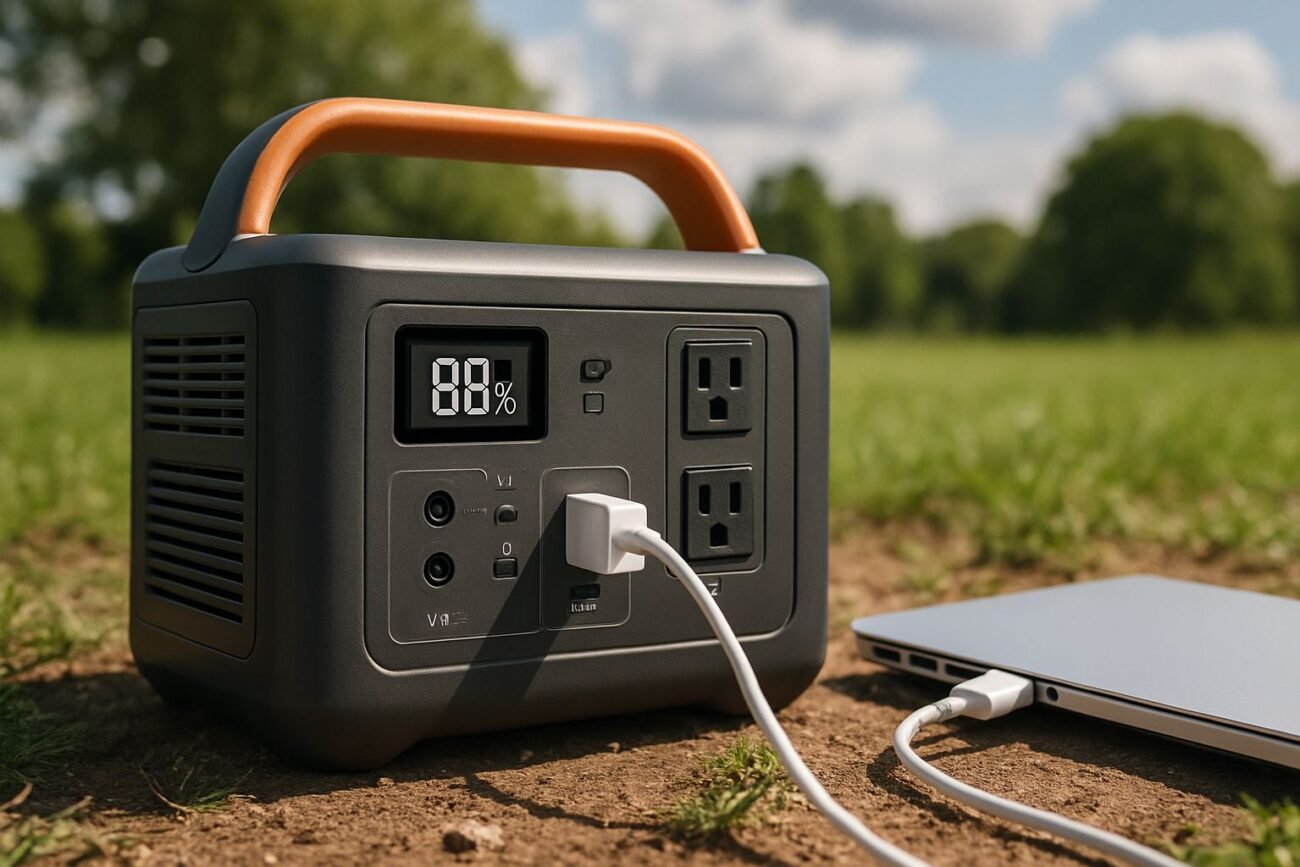
- EcoFlow DELTA units use built-in MPPT technology with over 99% efficiency, meaning almost none of the solar energy hitting your panels goes to waste — but only if your setup is optimized correctly.
- Panel positioning, wattage matching, and cleanliness are the three most overlooked factors that silently kill solar efficiency for most users.
- The EcoFlow DELTA 2 Max can expand storage up to 6kWh, making it possible to store surplus daytime solar energy and use it overnight — a game-changer for off-grid living.
- EcoFlow’s app gives you real-time battery and charging data, so you’re never guessing how much power you have or how fast your panels are performing.
- Keep reading to find out exactly how many panels your DELTA can handle, and why connecting them in series vs. parallel makes a bigger difference than most people realize.
Get More Solar Power From Your EcoFlow DELTA Starting Today
Most people plug in their solar panels, see the charging indicator light up, and assume they’re getting the best performance possible — they’re usually not.
Efficient solar power isn’t just about the panels you use. It’s also about how you position, maintain, size, and connect these panels to your power station. Even small mistakes in any of these areas can quietly decrease your charging output by 20–40%.
The good news is that these mistakes are easy to fix once you know what to look for. EcoFlow’s DELTA series, including the EcoFlow DELTA 2 Max Solar Generator, is designed with high-efficiency technology — but you need to set it up correctly to reap the full benefits.
Whether you’re trying to operate an off-grid basecamp, preparing for power outages, or attempting to lessen your reliance on the grid at home, these tips will help you get the most out of the sun’s energy.
Understanding Solar Charging With the EcoFlow DELTA
Before we get into the tips, it’s important to understand how the process works. What exactly happens when the sun’s rays hit your panel and then the electricity is stored in your battery? The EcoFlow DELTA isn’t just a battery that you can plug in. It’s a complete solar power management system that you can take with you anywhere.
Solar Panels Turn Sunlight into Power
Solar panels use sunlight to stimulate electrons in silicon cells, producing direct current (DC) electricity. The amount of power produced depends on the wattage of the panel, the intensity of the sunlight, the temperature, and the angle.
EcoFlow’s own Rigid Solar Panels are designed to work directly with the DELTA series, but you can also use third-party panels that meet the unit’s input specifications.
Here’s a Quick Guide: Solar Input Specifications for EcoFlow DELTA
Model
Maximum Solar Input
Voltage Range for MPPT
Maximum Charge Current
DELTA 2
500W
11–60V
15A
DELTA 2 Max
1000W
11–60V
15A
DELTA 3 Plus
1000W
15–60V
15A
1600W
11–150V
15A
Maximizing Solar Input with the Built-In MPPT Controller
The Maximum Power Point Tracking (MPPT) controller is a crucial part of the whole system. It continuously scans the panel’s output curve and locks onto the voltage and current combination that yields the highest wattage at any given moment.
The built-in MPPT of EcoFlow operates at an efficiency of over 99%. This means that if your 220W panel is currently producing 210W, your DELTA is capturing almost all of it.
Storing Energy in a LiFePO4 Battery with the Help of a BMS
After the MPPT controller has processed the solar input, the energy is then stored in the LiFePO4 (lithium iron phosphate) battery. The LiFePO4 battery is more thermally stable and lasts longer than the standard lithium-ion battery.
The DELTA 2 Max, as rated by EcoFlow, can endure up to 3,000 charge cycles before it drops to 80% capacity. The Battery Management System (BMS) is a system that monitors temperature, voltage, and current in real time. It automatically protects against overcharging, overheating, and short circuits, so you don’t have to.

1. Put Your Solar Panels Where They’ll Get the Most Sun
Where you put your panels is the most important factor in how much power you’ll get from them — and it doesn’t cost you anything to do it right.
When a panel is flat on the ground or tilted at the wrong angle, it can lose 25–35% of its possible output compared to one that is directly facing the sun.
The goal is always to have direct, perpendicular sunlight. Even a little bit of shading from a tree branch or roof overhang that hits just one cell in a panel can significantly decrease the output of that entire string.
Perfect Tilt Angle for Solar Panels
As a general guideline, your panels should be tilted at an angle that is roughly equal to your latitude. So, if you’re at 35° latitude, aim for a 35° tilt facing true south (in the Northern Hemisphere). This will position the panel as close to perpendicular to the sun’s path as possible throughout the day.
EcoFlow’s portable solar panels come with adjustable kickstands specifically designed to help you achieve this angle without the need for additional equipment.
Seasonal Panel Angle Adjustments
During the winter months, the sun sits lower in the sky. This means that the optimal tilt of your panel increases by approximately 15°.
In the summer, you’ll want to decrease your tilt by about 15° from your base latitude angle. If you’re using the EcoFlow 400W Rigid Solar Panel in a stationary outdoor setup, making these two adjustments each year can significantly improve your annual yield without any additional hardware costs.
2. Maintain Cleanliness of Your Solar Panels
Surprisingly, dust, bird feces, pollen, and film buildup can act as a semi-opaque cover on your panels, and they can pile up faster than you may think. Photovoltaic system studies have indicated that dirt losses can decrease production by 5% to more than 20% based on your location and how long the panels have been without cleaning.
It’s easy to clean: just use a soft cloth or squeegee with warm, soapy water and clean the panel surface. Avoid materials that could scratch the tempered glass. For portable setups with EcoFlow’s 160W Portable Solar Panel or similar foldable units, a fast wipe-down each morning before you set up takes less than two minutes and keeps your output consistent throughout the day. Don’t forget the connectors — oxidized or dirty MC4 connectors can introduce resistance and reduce current flow.
3. Select the Appropriate Solar Panel Wattage for Your EcoFlow DELTA
One of the biggest errors DELTA users make is just plugging in any solar panel and hoping it works — and it’s a mistake that can be easily avoided.
Each EcoFlow DELTA model has a set maximum solar input wattage. If you go over it, the unit won’t take in any more power. If you go too far under it, you’re not charging as fast as you could be, which is particularly important if you’re trying to fully charge before the sun goes down.
One of the quickest ways to improve the charging performance of your DELTA without changing anything else about your setup is to match your solar panel wattage to your specific DELTA model.
The number of panels you need is also important. You can calculate this using the formula: Number of panels = (Battery Ah × Voltage) ÷ (Panel Wattage × Peak Sun Hours). This will give you a precise answer. For example, if you have a 100Ah 12V battery with 6 peak sun hours, you would need approximately 5 panels for an EcoFlow RIVER 3 + 45W panel setup.
However, if you switch to an EcoFlow DELTA 3 Plus with a 220W panel, you would only need one panel.
- EcoFlow DELTA 2: Supports up to 500W solar input — ideal pairing is two 220W panels in series
- EcoFlow DELTA 2 Max: Handles up to 1000W solar input — supports larger panel arrays for faster full-day charging
- EcoFlow DELTA 3 Plus: Accepts up to 1000W and is optimized for the 220W portable solar panel right out of the box
- EcoFlow DELTA 3 Pro: Can accept up to 1600W — designed for high-demand home backup scenarios with large panel arrays

Matching Panel Output to DELTA Input Limits
Always check two numbers before connecting panels: the combined wattage of your array and the open-circuit voltage (Voc). The wattage must stay at or below your DELTA’s rated solar input maximum. But voltage is equally important — if your panel’s Voc exceeds the MPPT input range for your unit (for example, above 60V for the DELTA 2 Max), the unit will either reject the input or potentially damage the charge controller over time.
Using EcoFlow’s own panels, you’ll find this compatibility is already built in. The EcoFlow 220W Portable Solar Panel has a Voc of 24V, making it safe to run two in series (combined 48V) into a DELTA 2 Max without exceeding the 60V limit. Always check Voc values when incorporating third-party panels into your setup.
Linking Multiple Panels in Series vs. Parallel
Series connections increase voltage while maintaining the same current — parallel connections increase current while maintaining the same voltage. For the majority of EcoFlow DELTA configurations, linking panels in series is recommended because higher voltage results in lower transmission losses over cable runs and improved MPPT performance at the charge controller.
However, if any single panel in a series string becomes shaded, the output of the entire string decreases. In environments with inconsistent shade, a parallel connection — or a hybrid series-parallel array — can safeguard overall output by isolating underperforming panels from pulling down the rest.
4. Make Sure You Have a Top-Notch MPPT Charge Controller
If you’re relying on the EcoFlow DELTA for your portable power needs, you’re in luck. It comes with a top-tier MPPT controller built right in. This is a bigger deal than you might think. A lot of standalone solar systems require you to buy a separate charge controller.
This adds both cost and complexity. But with any DELTA model, the charge controller is built in. It’s also calibrated and managed automatically.
Why MPPT Controllers Are More Efficient Than PWM Controllers
Pulse Width Modulation (PWM) controllers may be simpler and less expensive, but they operate by lowering the voltage of the panel to match the voltage of the battery. This means that all the excess voltage energy is wasted as heat.
For example, a PWM controller connected to a 20V panel that is charging a 12V battery is throwing away approximately 40% of the available panel voltage.
On the other hand, MPPT controllers perform a DC-to-DC conversion that captures the voltage differential and turns it into usable current. In real-world conditions, MPPT controllers consistently deliver 20–30% more energy into your battery than PWM equivalents, particularly in colder temperatures and low-light morning or evening conditions when the efficiency gap becomes even larger.
Understanding the Built-In MPPT in EcoFlow DELTA
The integrated MPPT controller of EcoFlow constantly scans the power curve of the panel. This happens hundreds of times every second. The goal is to find the exact combination of voltage-current that gives the highest wattage at that particular moment. The MPPT algorithm can adjust in real time.
This happens without any input from you. It adjusts as the cloud cover changes, the temperature fluctuates, or the angle of the panel drifts throughout the day. This is why the system can operate at over 99% conversion efficiency. This is a stark contrast to the fixed, less adaptive approach of PWM systems. You can get the maximum possible energy from every panel in your array. This happens all day and happens automatically.

5. Use the EcoFlow App to Keep an Eye on Battery Health
With the EcoFlow app, your smartphone becomes a comprehensive control panel for your DELTA unit, providing a level of insight that the front-panel display can’t compete with. You can monitor real-time input wattage from your solar panels, the current battery percentage, the estimated time until the battery is fully charged, and active output loads — all of which are updated in real time.
This level of detail makes it easy to identify issues early, such as a panel that isn’t performing well due to shade or a loose connector that’s causing inconsistent input readings.
Not only does the app allow for real-time monitoring, but it also allows you to set charging limits. It’s a well-known fact that keeping your LiFePO4 battery between 20% and 80% state of charge during regular use, rather than constantly cycling from 0% to 100%, can help extend the battery’s lifespan. For DELTA 2 Max and DELTA Pro owners, EcoFlow has integrated this option directly into the app interface.
Understanding Battery Discharge Levels Correctly
The EcoFlow app displays the State of Charge (SoC) percentage, which is determined by the Battery Management System (BMS) using voltage curves, current flow, and temperature data. This is more accurate than basic voltage-based readings, which can be misleading, especially under load.
Even if your DELTA is showing 50% while operating a high-draw device like a portable air conditioner, you can trust that reading because the BMS adjusts for voltage sag during heavy discharge cycles.
When Should You Recharge Your EcoFlow DELTA Battery?
For daily solar cycling, you should aim to start recharging your DELTA before it drops below 20%. LiFePO4 chemistry is more tolerant of deep discharge than traditional lithium-ion, but consistently draining to 0% still adds wear to the battery over hundreds of cycles.
The sweet spot for longevity is keeping the battery above 20% and below 90% for routine use, only going to full 100% when you specifically need maximum capacity — like preparing for an overnight off-grid stay or an anticipated storm outage.
On DELTA models that support it, the app has a scheduling feature that allows you to set charging times. This means your unit will focus on solar input during the sunniest parts of the day and won’t use the grid unless the battery drops to the level you’ve set. This is especially handy for hybrid setups where you have both solar and AC charging sources.
6. Use the EcoFlow DELTA to Save Solar Energy for Nighttime Use
The EcoFlow DELTA system has a great feature that many people overlook. It can store solar energy during the day and then use it at night. Obviously, solar panels can’t generate power when it’s dark, but you still need electricity.
If you’re using lights, charging devices, or running a refrigerator at night, you’re using the energy that your battery stored during the day. That’s why it’s so important to charge your battery as much as possible during the day. The more you charge it, the more power you’ll have at night.
How the EcoFlow DELTA 2 Max Stores Energy for Off-Peak Hours
The EcoFlow DELTA 2 Max is designed specifically for this situation. When the sun is at its peak, the device charges its internal battery and powers any connected devices at the same time. Any excess solar energy produced beyond what your active loads require is stored directly in the battery.
When the sun sets, that stored energy continues to power your devices without you having to adjust any settings — the system automatically handles the transition.
Especially if you live in a place where electricity is charged according to the time of use, and the price of grid electricity rises in the evening. Running your household appliances on stored solar power during peak hours allows you to avoid the most expensive electricity of the day.
Boost Storage to 6kWh
Although the DELTA 2 Max comes with a 2kWh internal battery, it can be expanded with the EcoFlow DELTA Max Extra Battery. Each unit adds another 2kWh, up to a total of 6kWh when fully expanded.
This is enough to power a full-size refrigerator for over 40 hours, keep essential home circuits running during several cloudy days, or keep a remote worksite running for an entire weekend without access to the grid.
For those serious about energy independence, this expandability is one of the most practical features the DELTA 2 Max offers.

7. Perform Regular Upkeep on Your Solar Setup
Efficiency isn’t just about the initial setup — it’s a continuous process. Even the highest quality solar hardware can deteriorate more quickly if it’s not taken care of. A basic monthly maintenance routine can keep your EcoFlow DELTA system running at its best for many more years than a system that’s installed and then ignored.
- Take a look at your MC4 connectors every month to make sure they are not corroded, damp, or loose. A poor connection can cause resistance and reduce the current flow without you noticing.
- Examine your cables for signs of wear, UV damage, or pinching, especially if they are permanently installed outdoors.
- Wipe down the surfaces of your panels every 2–4 weeks, depending on where you live. If your area is dusty, has a lot of pollen, or is near the coast, you may need to clean your panels more often.
- Look at the charging logs in the EcoFlow app to see if there are any sudden decreases in solar input. This could mean there is a problem with a panel or that something is casting a shadow over it.
- Let the battery run all the way down and then fully charge it once every three months. This will help the BMS recalibrate its State of Charge readings so they are as accurate as possible.
- Keep the DELTA charged to 30–60% if you are not going to use it for a while. LiFePO4 cells are best stored when they are partially charged, not fully charged or empty.
Getting the Most Out of Your EcoFlow DELTA
The best way to use the EcoFlow DELTA is to do everything we’ve talked about so far, all at the same time. Use the right-sized panels and point them in the right direction. Keep them clean. Connect them in the right way.
Use a DELTA unit with an MPPT controller that can capture every watt of power and send it to a LiFePO4 battery bank that is the right size. Keep an eye on everything with the EcoFlow app. This may sound complicated, but it’s not. It’s just a simple system that you need to set up carefully.
If you’re looking for a portable solar storage solution for your home that doesn’t require a permanent rooftop installation, you can’t go wrong with the EcoFlow DELTA 2 Max. Pair it with two 220W Rigid Solar Panels and the optional extra battery expansion for one of the most effective setups on the market.
You’ll get up to 1000W of solar input, up to 6kWh of storage, and enough output capacity to power most of your household essentials during power outages or when you’re off the grid. Plus, the more efficiently you use the system, the quicker it pays for itself. And that’s where these tips come in.
Commonly Asked Questions
These are the questions that DELTA users often ask when they are setting up or improving their solar charging systems.
How Many Solar Panels Can You Connect to the EcoFlow DELTA?
The number of panels you can connect depends on the specific DELTA model you have and the wattage of each panel. The most important thing to remember is that the combined array should stay within the unit’s maximum solar input rating, and that the series voltage doesn’t exceed the MPPT input ceiling.
EcoFlow DELTA Model
Max Solar Input
220W Panels (Series)
400W Panels
500W
2 panels (440W)
1 panel (400W)
1000W
4 panels (880W)
2 panels (800W)
1000W
4 panels (880W)
2 panels (800W)
1600W
7 panels (1540W)
4 panels (1600W)
Always verify that your combined open-circuit voltage (Voc) when connecting panels in series doesn’t exceed your model’s MPPT input voltage ceiling. For the DELTA 2 and DELTA 2 Max, that ceiling is 60V. The DELTA Pro allows up to 150V, giving it significantly more flexibility for large series strings.
Can I Use Other Brands of Solar Panels With the EcoFlow DELTA?
Absolutely — as long as the solar panel produces DC within the DELTA’s accepted MPPT voltage range and uses connectors that are compatible (usually MC4), it will work. The trick is to check three figures from the panel’s spec sheet before you hook it up: maximum power (Pmax), open-circuit voltage (Voc), and short-circuit current (Isc). All three need to be within the DELTA’s stated input specifications to ensure that it runs safely and efficiently.
Spec to Check
Why It Matters
Where to Find It
Open-Circuit Voltage (Voc)
Must not exceed MPPT max voltage
Panel spec sheet / label
Maximum Power (Pmax)
Array total must not exceed solar input limit
Panel spec sheet
Short-Circuit Current (Isc)
Must stay within max charge current rating
Panel spec sheet / label
Connector Type
Must be MC4 or use a compatible adapter
Physical inspection
EcoFlow’s own panels are factory-calibrated to work seamlessly with the DELTA series, which removes the guesswork entirely. If you’re mixing brands, double-check every number — a Voc overage is the most common compatibility issue and the one most likely to cause hardware damage.
How Long Does It Take to Charge the EcoFlow DELTA With Solar?
The time it takes to charge the EcoFlow DELTA 2 Max varies depending on several factors, including battery capacity, panel wattage, and available peak sun hours. For instance, the EcoFlow DELTA 2 Max has a 2048Wh battery.
If you have 1000W of solar input and 5 peak sun hours per day, you can fully charge it from 0% in about 2–2.5 hours under ideal conditions. However, real-world conditions like cloud cover, panel angle variance, and temperature can add 20–40% to that estimate.
If you’re using a smaller setup, like the EcoFlow DELTA 2 with a single 220W panel, you can expect it to take about 8–10 hours of strong sunlight to fully charge. If you add a second panel, you can cut that time down by about half. This is why it’s so important to match the size of your panel array to the maximum input rating of your DELTA for everyday use.
Is it possible for the EcoFlow DELTA to charge from both solar and AC power at the same time?
Indeed, it is. All EcoFlow DELTA models are capable of charging from both solar and AC input at the same time. The Battery Management System (BMS) manages both input sources concurrently, and the combined charging rates can considerably decrease the time it takes to fully charge the unit.
The EcoFlow DELTA Pro, for instance, can handle up to 1800W of AC input in addition to its 1600W of solar input — although the total combined input is limited by the unit’s overall charging rate limit. This ability to charge from two sources at once can be particularly handy on days when the weather is variable and solar power alone isn’t enough to fully charge the unit before it gets dark.
What Does the EcoFlow DELTA Do With Excess Solar Energy?
Once the DELTA’s battery is fully charged, the MPPT controller stops pulling current from the panels — it basically puts the charge on hold instead of risking overcharging. The panels will keep making electricity, but that energy isn’t used until the battery is not full anymore and the BMS tells the controller to start charging again.
One of the best reasons to increase your storage capacity is if you find that your panels are often filling up your battery by the early afternoon. This means that you are missing out on potentially hours of productive solar generation.
By adding an EcoFlow DELTA Max Extra Battery, you can give that surplus energy somewhere to go, which will extend your storage window and allow you to get the most out of every hour of daylight that your panels are active.


6 thoughts on “EcoFlow DELTA Portable Power Station Tips: Maximize Solar Efficiency”